KFB Reader
MACOS · 1.2.0 · Preview

Slide Reader - Image Alignment

Now follows your system language, with 9 locale options. Align and compare slides, review regions and export results, all locally on your Mac.

View on the App Store ↗
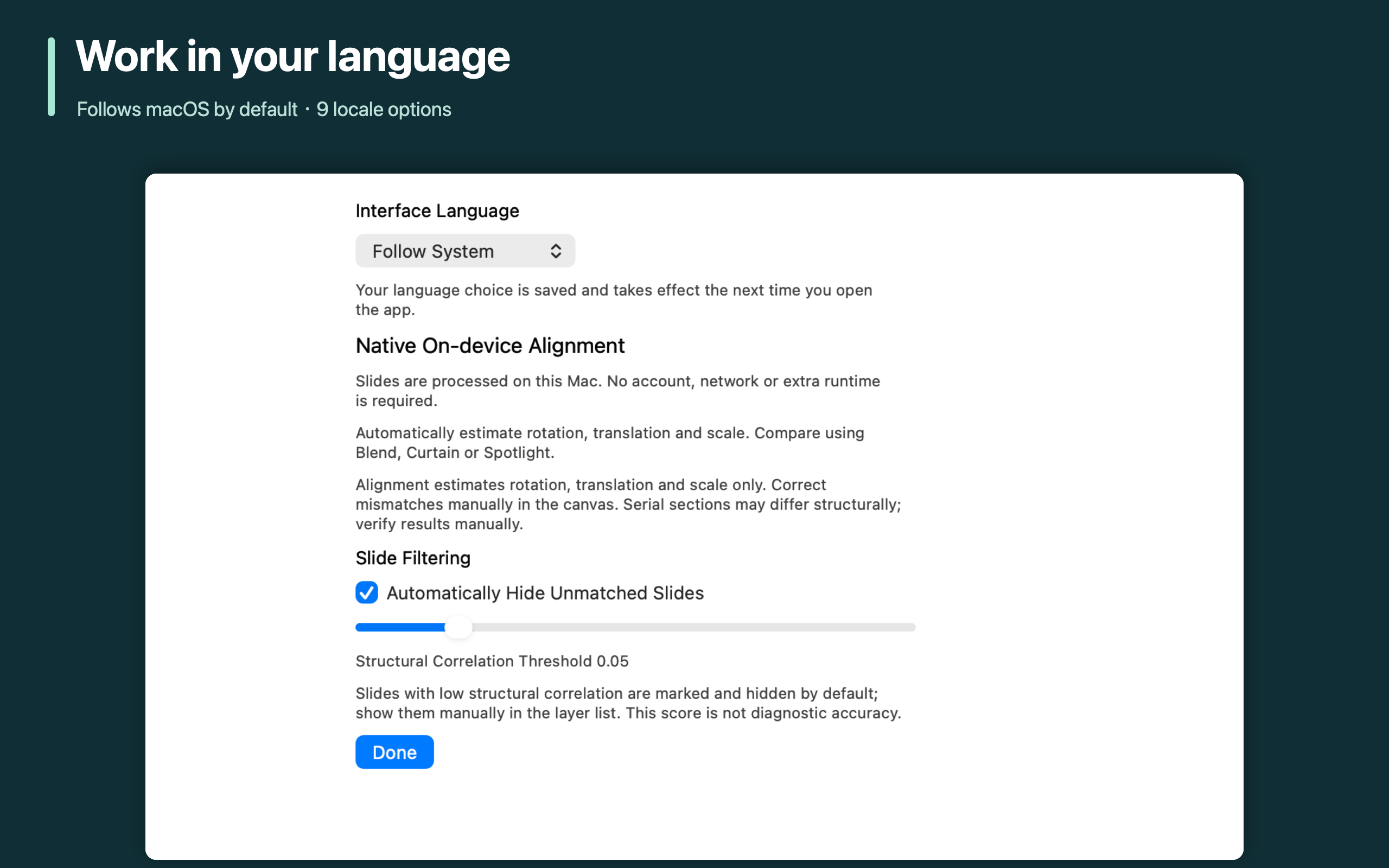
Work in your language
Follows macOS by default · 9 locale options
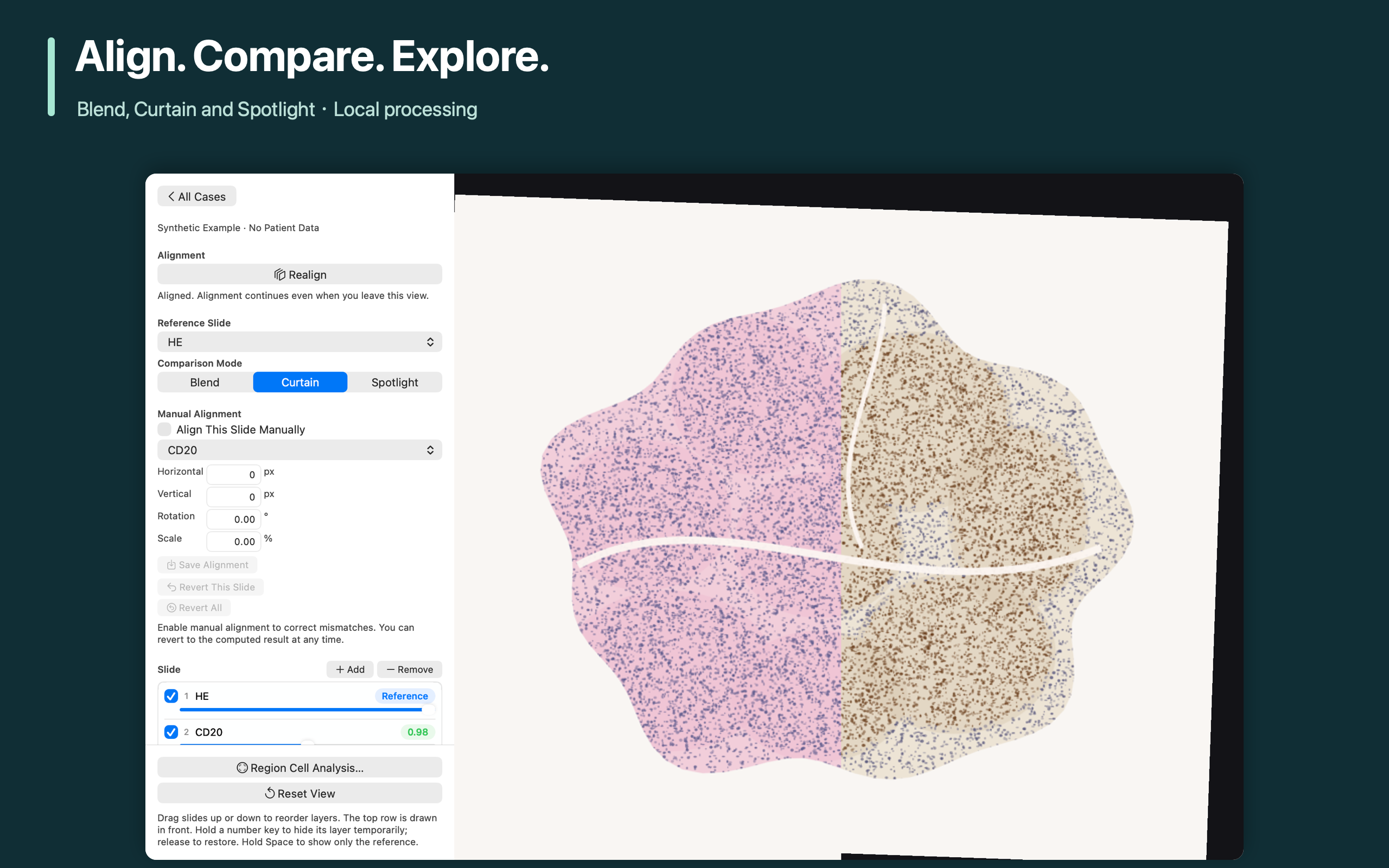
Align. Compare. Explore.
Blend, Curtain and Spotlight · Local processing
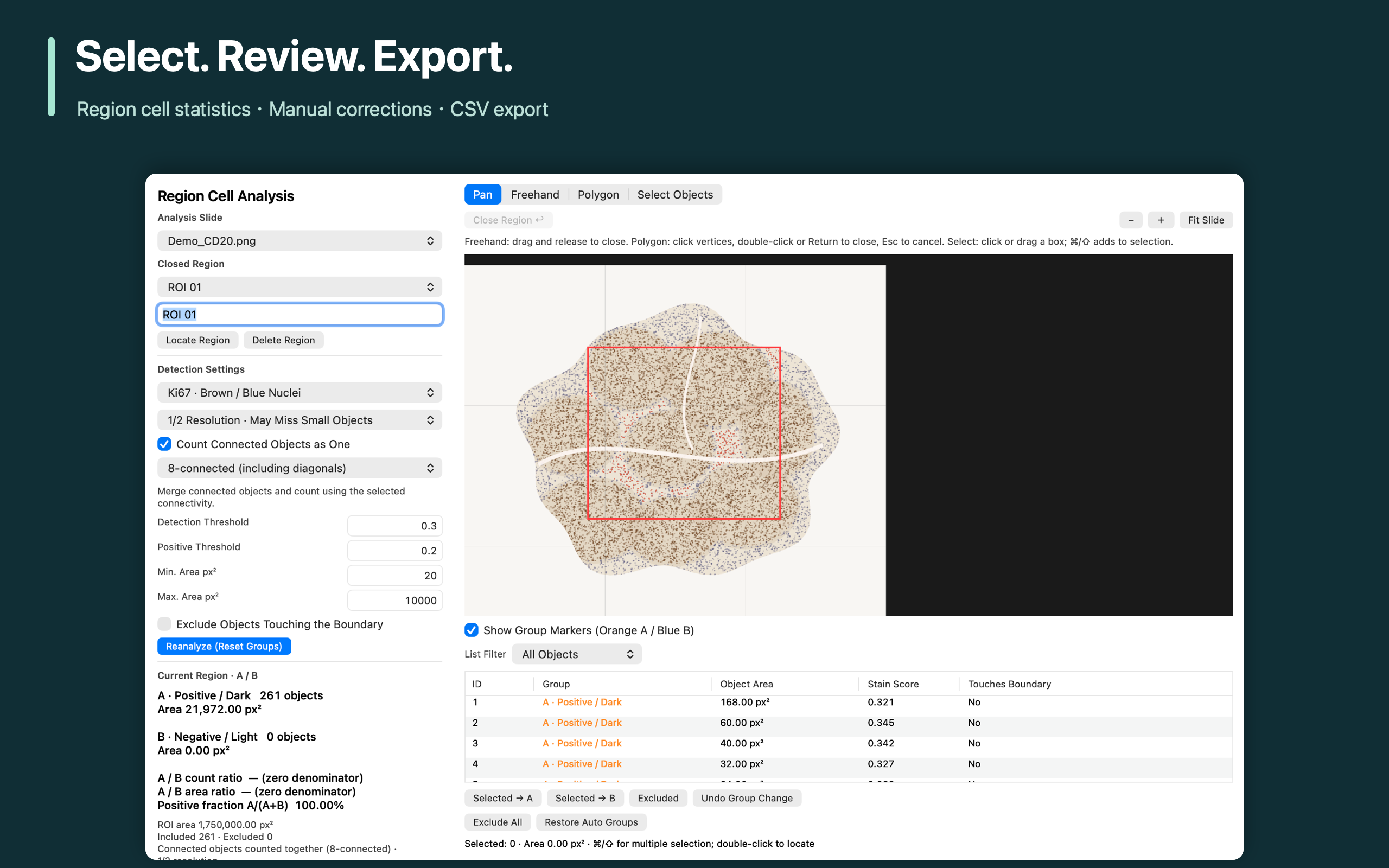
Select. Review. Export.
Region cell statistics · Manual corrections · CSV export
Organize, align and compare slide images on your Mac for teaching and research. • Open compatible KFB slides and PNG, JPEG, TIFF, BMP and WebP images. • Estimate rotation, translation and scale automatically, or adjust and save alignment manually. • Compare images using Blend, Curtain and Spotlight modes. • Control layer order, opacity and visibility. • Select regions, run cell statistics, review and correct groups, and export CSV. • Export the current view as PNG, the app window as a screenshot, and alignment transforms as JSON. • Learn with included synthetic examples containing no patient data. YOUR LANGUAGE The interface follows your preferred macOS language by default. You can also choose a language in Settings; restart the app to apply it. Available in Simplified Chinese, Traditional Chinese, English, Japanese, Korean, German, French, Spanish and Brazilian Portuguese. Help and privacy information are localized too. LOCAL PROCESSING No account, server or extra runtime is needed. Original images are not modified. One-time purchase, with no subscriptions or in-app purchases. FORMATS AND SCOPE KFB compatibility depends on the file version. Ordinary TIFF files open the first frame only; this is not a general SVS/NDPI or multipage whole-slide TIFF reader. Uncalibrated images use pixel area. Alignment estimates rotation, translation and scale; it does not perform local elastic deformation. For teaching and research. The app does not provide automated pathology diagnosis, lesion detection or treatment advice. Alignment and cell statistics require manual review and must not be used alone for medical decisions. Requires macOS 13 or later. Supports Apple Silicon and Intel Macs.

Support

793015456@qq.com

Support · Privacy policy

macOS 13+ · Apple Silicon / Intel